
Voice on the phone
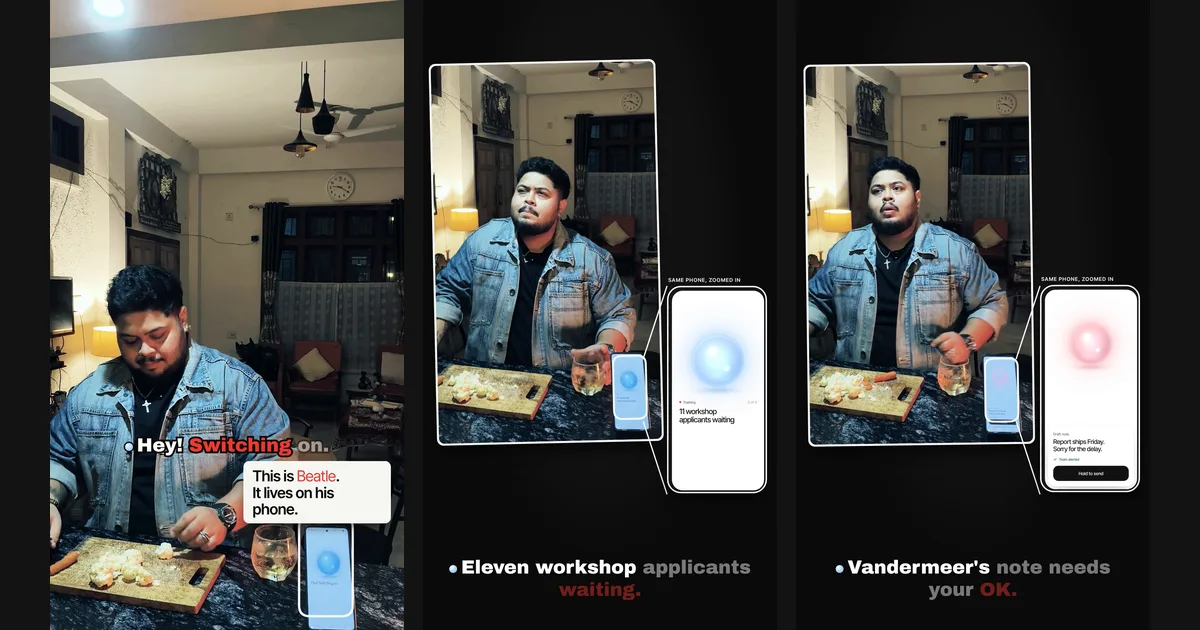
Beatle lives on the phone. Say "Hey Beatle" and a glowing orb wakes up and answers. It is blue while it works, red when something needs your OK and green once it is done.
Case Study
Say "Hey Beatle" and ask what needs you today. Beatle checks your Business OS, tells you what is late, what is waiting and what is owed, handles it on your word, and sends only after you approve.
The Film
From "Hey Beatle" to "Sent" in 46 seconds: the briefing, the decision and the approval, all spoken and tapped on one phone. Names and figures in the film are illustrative.
The Challenge
In a company of 25 to 50 people, the owner's morning is a round of tools: which report is late, which applicants are waiting, which invoice has not gone out. Each answer lives in a different place, and each follow-up is another message to write.
The business needed one voice that already knows where everything is: ask once, hear what matters, say yes, and have it done.
What We Built
Beatle lives on the phone. Say "Hey Beatle" and a glowing orb wakes up and answers. It is blue while it works, red when something needs your OK and green once it is done.
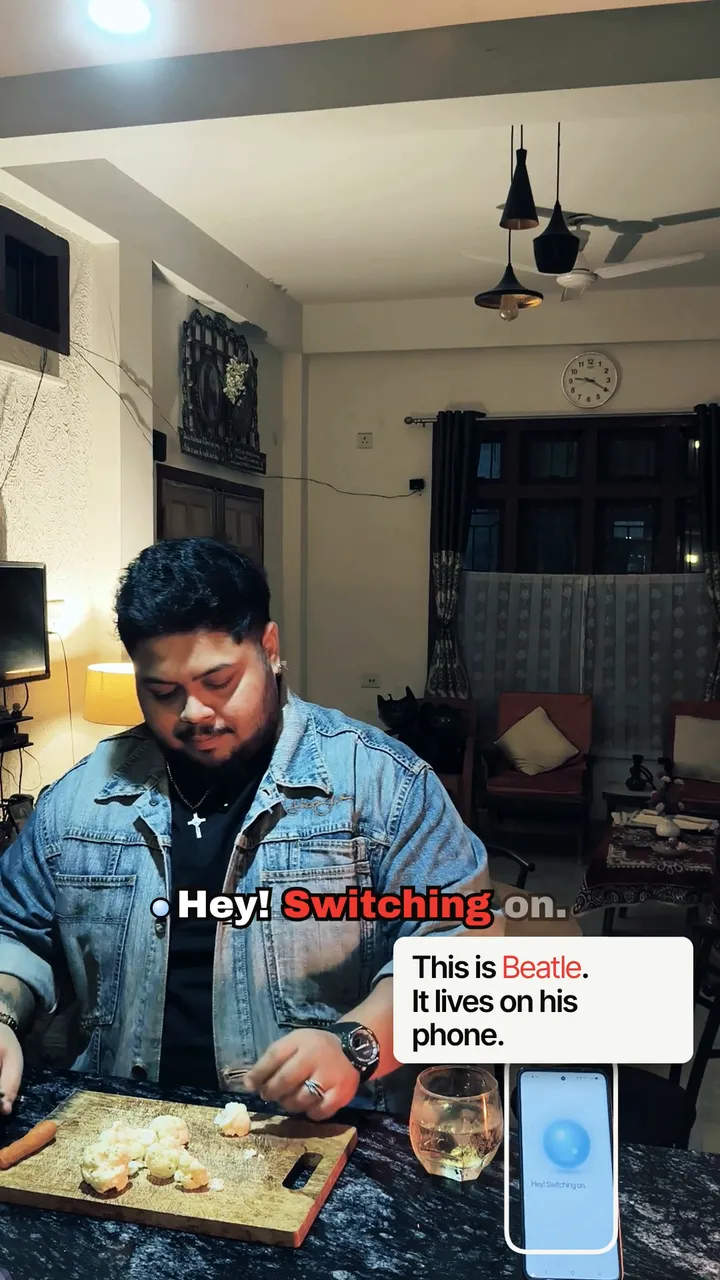
Ask "Take me through today's schedule" and Beatle checks reports, applications and payments, then tells you the three things that need you, one at a time.
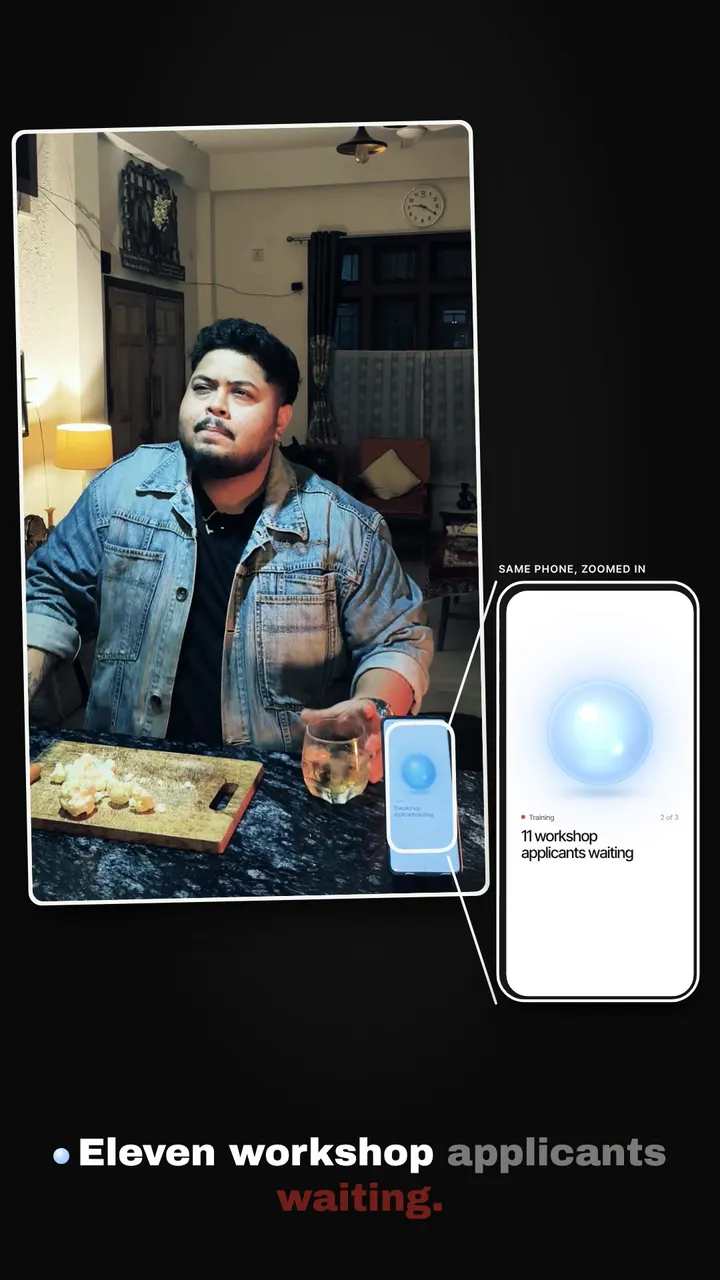
Say "Yes, do it" and Beatle replies to the applicants, invoices the client, alerts the team and drafts the note that needs your voice.
Drafted notes wait on screen. Hold to send, and Beatle sends it, turns green and asks what else it can do for you.
Inside the Film
Four moments from the film. Names and figures shown are illustrative.


Operational Flow
Built-in Rules
Beatle handles the coordination around each decision, not the decision itself. It briefs you, waits for your yes, and keeps every message that goes out under your name behind one deliberate action: hold to send.
How It Works
A server does the work and connects to the ERP and dashboard that run the business. The phone listens, shows what Beatle found and takes your approval, so the experience is the same on any phone.
Because Beatle reads from the Business OS itself, the briefing always reflects the same reports, applications and payments your team works in.
Start a Project
Kohuwa builds the assistants, dashboards and Business OS that let a team spend its day on decisions instead of chasing updates.